To search
Softonic Rating:
Excellent:9/10
License:
Evaluation
Added:
July 20, 2007
Publisher:
Website
File size:
2.1 MB
Downloads:
66
Nick Mead

“Launch programs without clicking around”

by Nick Mead

If you're one of those who usually find your way around a PC by just using the mouse and clicking over and over then you're probably wasting lots of valuable time. Sometimes to do a simple task you have to click on many buttons, menus and windows. With Dash Command you can literally tell your computer what to do instead. For instance, you can just type "Word" in order to open Microsoft Word or "e-mail" to open your e-mail client.

In fact, you don't even have to type the whole command - Dash will autocomplete it before you've even finished. Alternatively, you can create hotkeys. You can even unzip folders with Dash - simply select it and type "zip" and it will launch your default decompression tool immediately. This is the type of tool that Mac users have enjoyed for years and as a Windows users, I can appreciate that I've been missing out for too long.

The only downside I found is that sometimes, it failed to locate the .exe files and would not launch a program. Of course, you also have to spell the program names correctly!

By the way, you can view a vídeo tutorial of Dash Command in action here).

Languages:

English

Limitations:

30 day Trial Period

OS requirements for Dash Command:

  • OS: Win2000/XP/Vista

Minimum requirements:

  • Processor: 500 MHz
  • Memory: 256 MB
  • Free space: 15 MB
Pros
  • Instantly launch programs
  • Increase productivity
Cons
  • Can occasionally fail to launch applications
  • Relies on you spelling applications names correctly
Did you like this review?
1 of 1 users liked it (100%)

Dash Command Softonic Rating: 9Featured program

Softonic gives special recognition to software of exceptionally high quality. More information

From the publisher of Dash Command

With Dash Command you can locate and execute the programs that you have installed on your PC in a faster and simpler way.

In order to execute a program, simply introduce the name of the program into Dash and select Dash Command which will execute it in an instant.

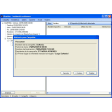
Dash Command options

Dash Command Options

Reviews for Dash Command in other languages

Softonic Rating:Excellent
User Rating
Your opinion is important!
badminton

Download stats

Are you the developer of Dash Command?

If your program has received a Softonic rating, feel free to use the following award badge on your site or as part of any other promotional feature you may be putting together.

Dash Command Softonic Rating

Click on the above text field to copy the necessary HTML to your clipboard and then paste it to your website. It will display your program's Softonic Rating and will link to your program page.

Any queries? Contact us if you want more info.

Close